
Is your company’s most valuable asset—its intellectual property—managed by a patchwork of spreadsheets, shared folders, and frantic calendar reminders? You’re not alone. This is the default state for too many teams, and it’s a high-wire act without a net. Manual tracking is where deadlines are missed, infringement risks multiply, and strategic opportunities are lost in the noise.
You know there has to be a better way. The problem is, the market for intellectual property tools is a foreboding landscape of opaque pricing, overlapping features, and vendors all claiming to be the one-stop solution.
This is not another simple list of software.
This is the Definitive IP Operations Playbook. We’re moving beyond a directory of tools to give you a workflow-based guide. We’ll show you how to think about your needs, how to categorize the solutions, and how to select and master the right tools for the specific jobs you need to get done. We’ll start by clarifying a critical, and costly, point of confusion. Then, we will explore the core tool ecosystem, review the top 10 solutions by their ideal use-case, and give you a practical framework for making the right choice.
Let’s get to work.
Key Takeaways
- Clarify Your Terms: ‘IP Management Software’ is ambiguous. Know the difference between Intellectual Property tools for patents/trademarks and IP Address Management (IPAM) for computer networks to avoid costly mistakes.
- Adopt a Workflow-First Approach: The best tool isn’t just about features; it’s about how it solves your specific job, whether that’s conducting a prior art search, managing renewal deadlines, or monitoring for infringement.
- Categorize to Conquer: The IP tool ecosystem breaks down into three core categories: Search & Discovery (e.g., PQAI, The Lens), Portfolio Management (e.g., Anaqua, iPNOTE), and Monitoring & Defense (e.g., Clarivate, Trademark Watch services).
- AI is the New Standard: Modern tools leverage AI for everything from semantic patent searches to automated docketing and infringement detection, offering significant efficiency gains over manual processes.
- Free Tools Have a Place: Government databases like the USPTO’s Patent Public Search are essential starting points, but professional needs often require the advanced analytics of paid platforms.
- Selection Requires a Framework: Don’t just compare features. Evaluate tools based on scalability, integration capabilities, total cost of ownership, and how they answer critical questions during a vendor demo.
First, A Critical Distinction: Intellectual Property vs. IP Address Management
Before we go any further, we need to perform a critical disambiguation. The search term “IP management software” is a minefield of confusion, leading countless professionals down the wrong path.
The ambiguity lies in the acronym “IP.”
For our purposes—and for legal, R&D, and brand professionals—IP means Intellectual Property. This refers to creations of the mind, such as inventions, literary and artistic works, designs, symbols, names, and images used in commerce. The tools for this world manage patents, trademarks, copyrights, and trade secrets.
For network administrators and IT professionals, IP means Internet Protocol. Their world revolves around managing IP addresses, the unique numerical labels assigned to each device connected to a computer network. The software for this is called IP Address Management (IPAM).
Here’s a clear breakdown:
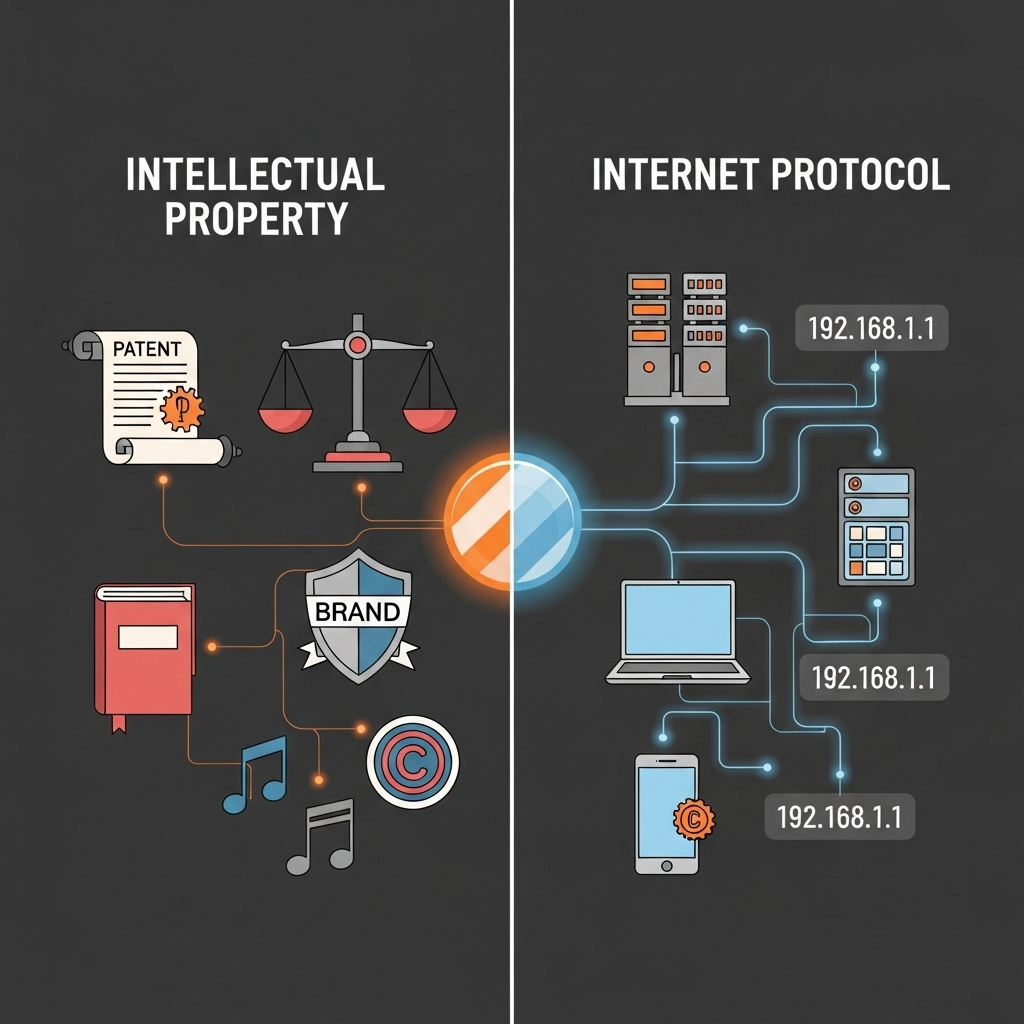
| Aspect | Intellectual Property Management | IP Address Management (IPAM) |
|---|---|---|
| Core Asset | Patents, Trademarks, Copyrights | Network IP Addresses (e.g., 192.168.1.1) |
| Primary User | IP Attorneys, Paralegals, Corporate Counsel | Network Administrators, IT Managers |
| Key Goal | Protect innovations, manage legal deadlines, monitor for infringement. | Allocate, track, and manage network addresses to ensure network reliability. |
| Example Task | Tracking a patent application deadline with the USPTO. | Assigning a static IP to a new server. |
| Authoritative Source | USPTO, WIPO | Microsoft, SolarWinds |
This article is your playbook for Intellectual Property management tools. If you need IPAM solutions, you are in the wrong place—but now you know exactly what to look for.
Understanding this fundamental difference is the first step toward making a sound investment; choosing the wrong type of ‘IP software’ can waste thousands of dollars and leave your company’s most valuable assets completely unprotected.
The Modern IP Operations Toolkit: Understanding the Three Core Tool Categories
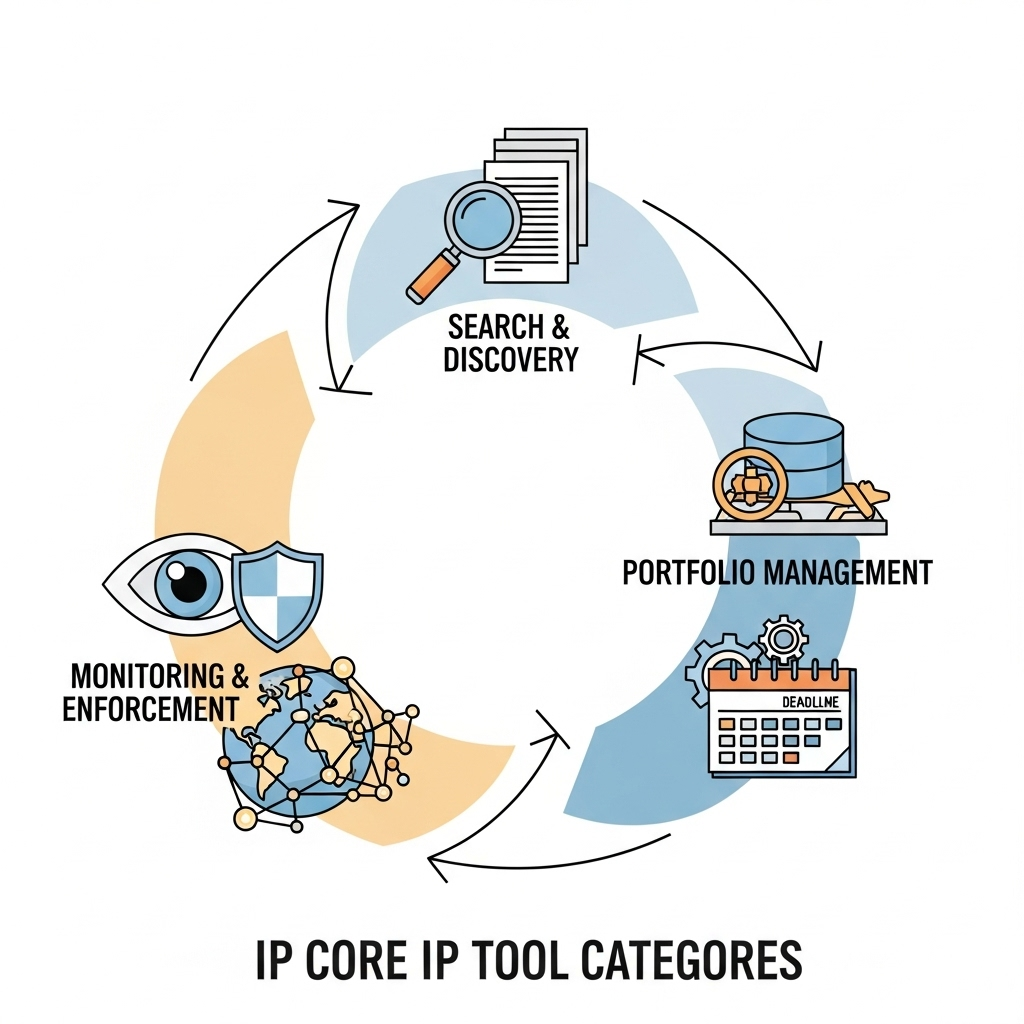
To build an effective IP operation, you don’t just buy a piece of software; you build a toolkit. A modern IP professional’s work isn’t monolithic. It’s a lifecycle that moves from creation and clearance to protection and enforcement. Your tools must align with this workflow.
If Rocky Balboa was a content marketer his montage wouldn’t include punching meat, one-handed pushups, and running up the 72 steps of the Philadelphia Museum of Art. No, some Philly Soul would accompany him writing SQL queries and wrangling multimillion-row CSV files. The same grit applies here. Managing IP is a grind that requires the right equipment.
We can break the IP tool ecosystem into three core categories that map directly to this lifecycle. Understanding this framework helps you diagnose your biggest pain points and invest with surgical precision. For more foundational information, see WIPO’s Guide to Intellectual Property.
Category 1: Search & Discovery Tools
This is your foundation. Before you can protect an idea, you must determine if it’s novel and if you are free to operate without infringing on others’ rights. These tools are built for conducting prior art searches, patentability assessments, and freedom-to-operate (FTO) analyses.
The landscape here is tiered. At the base are the essential free public databases like the USPTO Patent Public Search tool, which is the official repository for U.S. patents. Mastering this requires understanding frameworks like the USPTO’s 7-Step Search Strategy. At the next level are advanced platforms, often powered by AI, that can search global databases containing over 160 million patent documents and use semantic search to find conceptually similar inventions, not just keyword matches.
Category 2: Portfolio Management & Docketing Software
Once you have IP assets, the chaos begins. This is where you face the biggest risk of IP portfolio tracking issues. Portfolio management software is designed to be the centralized, single source of truth for your entire IP portfolio.
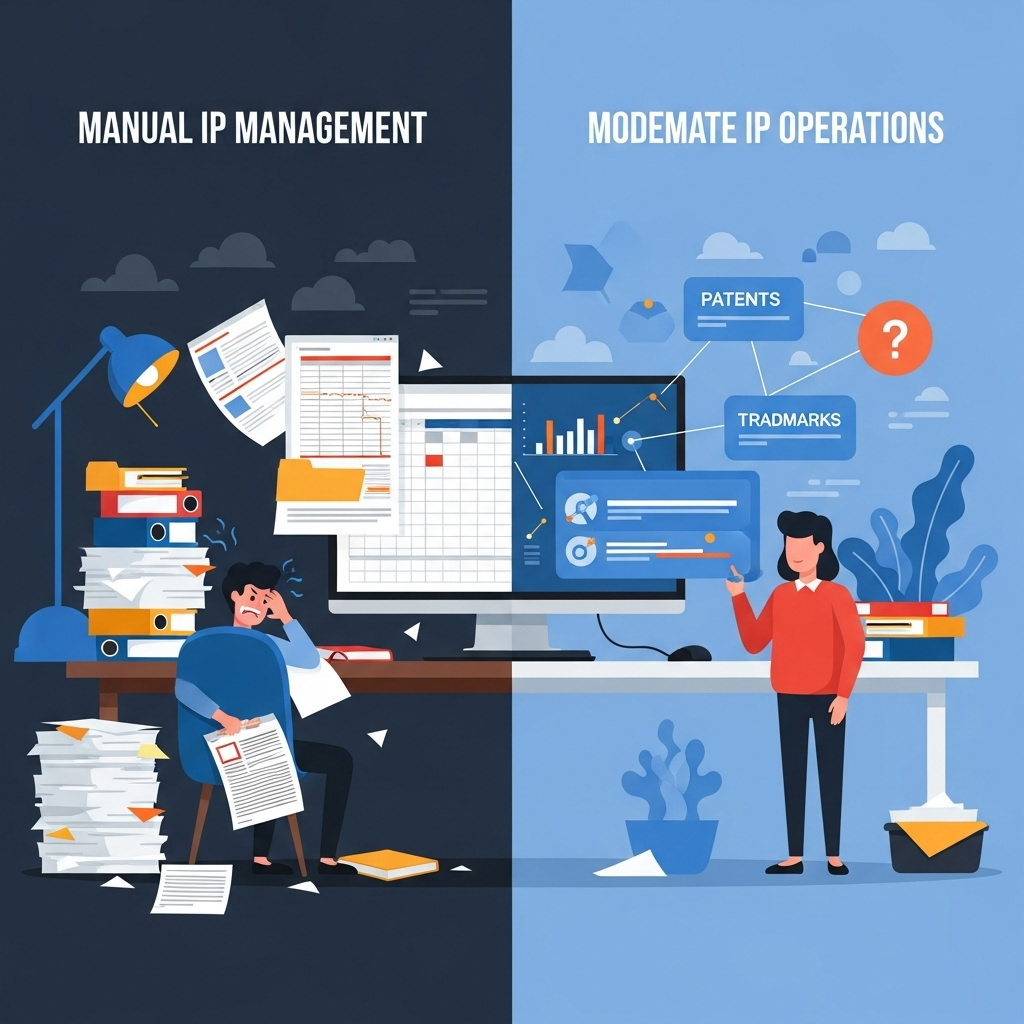
Think of this as the shift from a messy garage to an organized workshop. The “Before” state is a nightmare of spreadsheets, siloed documents, and missed annuity payments. The “After” state, powered by a centralized system, provides automated deadline tracking (known as docketing), secure document management, budget and cost tracking, and powerful reporting capabilities. As IP management experts at Computer Packages Inc. (CPI) note, centralization is the key to mitigating the risk of human error and providing a holistic view of your assets.
Category 3: Monitoring & Enforcement Tools
Securing a patent or trademark isn’t the end of the journey; it’s the beginning of the watch. Your rights are only as strong as your willingness to enforce them. This category of tools is your proactive defense system, built to guard against IP infringement risk.
These solutions include trademark watch services and automated patent monitoring. Instead of relying on manual searches, these platforms continuously scan global patent filings, trademark registers, and even online marketplaces for potentially infringing activity. The scale is immense; a provider like Clarivate watches brands across 191 countries and processes over 20,000 marks daily. These tools alert you to threats, allowing you to take action early. Furthermore, AI-powered tools like PatentWatch.ai have shown they can deliver a 10x increase in identifying new licensing opportunities by tracking who is operating in your technology space.
Viewing your toolkit through this workflow lens transforms your thinking from just buying software to building a strategic operational capability; this framework allows you to pinpoint your exact needs and invest with precision, rather than purchasing a monolithic system you’ll never fully use.
The Top 10 Intellectual Property Tools Reviewed for 2024
Now we move from framework to function. This is not a simple ranked list. We’re applying a “Use-Case Champion” model to highlight the best tool for a specific job or user profile. For each, we’ll outline who it’s for, its key features, and its pros and cons.
For Foundational Research: The Essential Free Databases
Every IP journey starts here. These tools are non-negotiable for preliminary searches and are the bedrock of due diligence.
1. USPTO Patent Public Search
- Best For: Official, authoritative searches for all U.S. patents and published applications.
- Key Features: Direct access to the USPTO database, advanced search options using classification codes (CPC), and full text/image viewing.
- Pros: It’s the official source of truth, completely free, and contains the most comprehensive U.S. patent data.
- Cons: The interface can be unintuitive for beginners, and search functionality is less user-friendly than commercial alternatives. Its scope is limited to U.S. documents.
- Verdict: This is the mandatory first stop for any serious U.S. patent search. Learning its nuances is a fundamental skill for any IP professional.
2. Google Patents
- Best For: Fast, user-friendly initial searches across global patent databases.
- Key Features: Simple keyword search, integration with Google Scholar, extensive international coverage, and a “prior art finder” feature.
- Pros: Extremely easy to use, broad global reach, and excellent for quickly finding related documents and non-patent literature.
- Cons: Data can sometimes lag behind official patent office databases, and its advanced filtering is less robust than specialized tools.
- Verdict: The perfect starting point. Its speed and breadth make it invaluable for quick patentability assessments before diving into more rigorous official searches.
3. The Lens
- Best For: Researchers, academics, and professionals needing to bridge the gap between patent and scholarly literature.
- Key Features: Integrates over 200 million scholarly works with more than 140 million global patent records, powerful filtering and analysis tools, and patent family information.
- Pros: Unmatched ability to link patents to the underlying scientific research, completely free and open, with powerful visualization tools.
- Cons: The sheer volume of data and features can be overwhelming for users with simple search needs.
- Verdict: A powerhouse tool for deep-dive research and technology landscaping. The Lens is the best free resource for understanding the scientific context behind an invention.
For AI-Powered Search & Analytics: The Next Generation of Discovery
When keyword searching isn’t enough, these tools provide a competitive edge through AI and advanced analytics.

4. PQAI
- Best For: Conducting AI-powered semantic searches to find conceptually similar patents.
- Key Features: Natural language processing (NLP) to understand the meaning of a query, not just keywords. Users can search with text blocks or existing patent numbers.
- Pros: Excellent at uncovering prior art that keyword searches would miss. The AI approach significantly reduces search time and improves the quality of results.
- Cons: As with any AI tool, results require expert human review. It is primarily focused on search and does not offer portfolio management features.
- Verdict: PQAI represents the future of patent search. It’s a game-changer for anyone conducting serious prior art or invalidity research, allowing you to find the “unknown unknowns.”
5. PatSnap
- Best For: Corporate R&D and IP strategy teams needing competitive intelligence and data visualization.
- Key Features: Advanced analytics dashboards, technology landscape mapping, patent valuation estimates, and collaboration tools.
- Pros: Transforms raw patent data into actionable business intelligence. Its visualization tools are best-in-class for understanding competitor strategies and identifying white space.
- Cons: It is an enterprise-grade platform with a price tag to match, making it inaccessible for solo inventors or small firms.
- Verdict: PatSnap is more than a search engine; it’s an innovation intelligence platform. For organizations that treat IP as a strategic business asset, its analytical depth is unparalleled.
For Comprehensive Portfolio Management: The Central Hubs
These are the all-in-one platforms designed to bring order to the chaos of a growing IP portfolio.
6. Anaqua AQX
- Best For: Large enterprises with complex global IP portfolios and a need for strategic analytics.
- Key Features: End-to-end IP lifecycle management, powerful data analytics (HyperView), integrated payment services, and modules for inventions, patents, and trademarks.
- Pros: Highly scalable and customizable to fit complex corporate workflows. Strong focus on connecting IP data to business strategy.
- Cons: Can be prohibitively expensive and complex for smaller organizations. Implementation is a significant undertaking.
- Verdict: For the Fortune 500 and large law firms, Anaqua’s AQX platform is a top-tier solution that provides the infrastructure to manage thousands of assets and extract strategic value from the portfolio.
7. Questel Equinox
- Best For: Law firms and corporations seeking a comprehensive, integrated suite of IP tools from a single, established vendor.
- Key Features: Modules for every IP task from patent search (Orbit Intelligence) to docketing, e-billing, and trademark management.
- Pros: A truly all-in-one ecosystem reduces the need for multiple vendors. Questel is a major industry player with a long history and extensive global data coverage.
- Cons: The sheer breadth of the platform can be complex to navigate, and costs can add up as more modules are included.
- Verdict: Questel’s Equinox is a powerful choice for organizations that want a single, unified platform to handle the entire IP lifecycle, backed by one of the biggest names in the industry.
8. iPNOTE
- Best For: Modern IP teams focused on workflow automation, efficiency, and demonstrating ROI.
- Key Features: AI-powered docketing, centralized communication hub, simple cost tracking, and analytics dashboards focused on business metrics.
- Pros: User-friendly interface designed to streamline common tasks. Its focus on efficiency has reportedly led to a 7x return on investment for some users.
- Cons: As a newer player, it may not have the same breadth of features or long-standing reputation as enterprise giants like Anaqua.
- Verdict: iPNOTE is a strong contender for tech-forward companies and law firms that want to move beyond legacy systems. Its emphasis on automation and clear ROI makes it a compelling modern alternative.
For Specialized Needs: Niche Champions
Some tools win by being the absolute best at one critical job.
9. Alt Legal
- Best For: Law firms and legal departments that need best-in-class trademark and IP docketing without the complexity of a full enterprise suite.
- Key Features: Automated trademark status monitoring with USPTO and CIPO, one-click document generation, and intelligent intake forms.
- Pros: Exceptionally easy to use and set up. Its automation of docketing tasks is a massive time-saver and risk-reducer. Superb customer support.
- Cons: It is hyper-focused on docketing and related tasks; it is not a comprehensive portfolio management or patent analytics tool.
- Verdict: For trademark professionals, Alt Legal is a category leader. It solves the most painful part of trademark management—docketing—with elegant, reliable automation.
10. Clarivate
- Best For: Brand owners who need authoritative, global trademark watching and brand protection services.
- Key Features: Global watch services covering 191 trademark registers, common law and online marketplace monitoring, and expert analysis of watch results.
- Pros: Unmatched global scale and decades of experience. Their team of analysts provides a layer of human expertise that automated tools can’t replicate. The sheer volume of data they process daily is a testament to their authority.
- Cons: Premium service with premium pricing. It’s a specialized solution for brand protection, not a general-purpose IP management platform.
- Verdict: When your brand’s integrity is on the line, Clarivate is the gold standard for trademark watch services. Their combination of global data infrastructure and expert analysis provides the most robust defense against infringement and dilution.
Choosing a tool based on your specific use-case ensures you’re not paying for enterprise features you’ll never use, or struggling with a free tool that can’t handle your complexity; this targeted approach maximizes your return on investment and directly impacts your team’s day-to-day efficiency.
How to Choose: A Practical Framework for Selecting the Right IP Software
You’ve seen the landscape and the top players. Now comes the most important part: making a decision. The worst approach is to be dazzled by feature lists. The best approach is to run a disciplined evaluation process centered on your unique needs. Follow this framework to make a smart, defensible choice. The SBA Guide to Protecting Business IP provides a great starting point for thinking about these needs strategically.
Step 1: Define Your ‘Jobs to Be Done’
Forget features for a moment. Instead, map out your team’s most critical workflows. What specific “jobs” are you hiring this software to do?
Be specific.
Don’t just say “manage patents.” Instead, write down tasks like:
- “Reliably track and notify three different people of all incoming USPTO office actions within 24 hours.”
- “Generate a quarterly report of all IP-related costs broken down by business unit.”
- “Clear a new product name for trademark viability in the U.S. and Europe within three business days.”
Identify the top 3-5 jobs that cause the most pain, consume the most time, or carry the most risk from IP portfolio tracking issues. This list becomes your scorecard. Any software you evaluate must excel at these specific tasks.
Step 2: Key Questions to Ask Vendors During a Demo
A sales demo is not a passive presentation. It’s an interrogation. You are in control. Arm yourself with questions that go beyond the glossy feature slides and reveal the true nature of the partnership you’re entering.
- Data Migration: “Can you walk me through the exact process of migrating our data from our current system/spreadsheets? What is the cost, timeline, and what support do you provide?”
- Training & Onboarding: “What does your user training program look like? Is it live or pre-recorded? Is there an additional cost? What is the average time for a team of our size to become proficient?”
- Security & Compliance: “How do you ensure the security and confidentiality of our sensitive IP data? Can you provide documentation on your security protocols and certifications?”
- Support: “What are your standard support hours? What is your guaranteed response time for a critical issue? Is support included or tiered?”
- Product Roadmap: “What are the top three features on your development roadmap for the next 12 months? How do you incorporate customer feedback into your planning?”
Step 3: Calculating the Total Cost of Ownership (TCO)
The sticker price is a lie. Or rather, it’s only part of the truth. To make an accurate financial comparison, you must calculate the Total Cost of Ownership (TCO). This prevents the “gotcha” moment six months after signing when unexpected bills start arriving.
Your TCO calculation must include:
- Subscription Fees: The base license cost (per user, per module, etc.).
- Implementation & Setup Fees: One-time costs for getting the system configured and running.
- Data Migration Fees: The cost to move your existing data into the new platform.
- Training Costs: Any fees associated with mandatory or optional training programs.
- Support Packages: Costs for premium or dedicated support tiers.
- Customization Fees: Potential charges for configuring the software to fit your specific workflows.
Demand a full, transparent quote that covers all these potential costs. Only then can you make a true apples-to-apples comparison.
Arming yourself with this structured evaluation framework transforms you from a passive buyer into a savvy procurement expert; it ensures your final decision is based on a deep understanding of your needs and the true value of the solution, preventing costly buyer’s remorse down the line.
Conclusion
Moving from chaotic, manual IP management to a strategic, tool-supported operation is no longer a luxury; it’s a competitive necessity. The risks of the old way—missed deadlines, unseen infringements, and squandered opportunities—are simply too high.
This playbook was designed to give you a new mental model for success. It starts by clarifying a fundamental distinction to prevent costly errors. It provides a workflow-based framework—Search, Manage, Monitor—that allows you to diagnose your needs with precision. And it equips you with a structured evaluation process to choose not just any tool, but the right tool for the job. You are now prepared to build an IP operation that is efficient, secure, and a true driver of business value.
Your intellectual property is your most valuable asset. If you need help building a robust, efficient, and secure IP management strategy tailored to your specific needs, contact our team of experts today.
Frequently Asked Questions
What are intellectual property management tools?
Intellectual property (IP) management tools are software solutions designed to help individuals, law firms, and companies manage their IP assets, such as patents, trademarks, and copyrights. Their key functions include tracking application deadlines, storing documents, managing renewals and payments, monitoring for infringement, and facilitating collaboration between legal and R&D teams.
What is the difference between IP management and IPAM software?
This is a critical distinction. Intellectual Property (IP) management software deals with legal assets like patents and trademarks. IP Address Management (IPAM) software is a technology tool used by IT administrators to plan, track, and manage the IP address space on a computer network. They are completely different tools for entirely different professions.
class="blockquote-faq-green">
How do I conduct a patent search for free?You can conduct a free preliminary patent search using government databases. The most authoritative source for U.S. patents is the USPTO’s Patent Public Search tool. Google Patents also offers a user-friendly interface for searching global patent databases. For best results, follow the USPTO’s recommended 7-step search strategy.
Why is it important to monitor your trademark after registration?
Trademark rights are based on use and enforcement. If you don’t monitor for others using a confusingly similar mark and take action, you risk weakening or even losing your trademark rights through dilution or abandonment. Trademark watch services automate this monitoring process to protect your brand.
What is the best IP software for small law firms?
The ‘best’ software depends on the firm’s specific needs. However, small law firms often prioritize ease of use, affordability, and robust docketing. Tools like Alt Legal are highly regarded for their user-friendly trademark docketing automation, while more comprehensive but still accessible platforms can also be a good fit depending on the practice’s focus.
This article contains reviews and opinions on third-party software. The information provided is for educational purposes only and does not constitute legal advice. Readers should consult with a qualified IP attorney for legal guidance. This post may contain affiliate links.
References
- Anaqua. AQX for Corporate. https://www.anaqua.com/aqx-corporate/ip-portfolio-management/
- Clarivate. Trademark Watching. https://clarivate.com/intellectual-property/brand-ip-solutions/trademark-watching/
- Computer Packages Inc. Managing IP Portfolios Effectively. https://www.computerpackages.com/managing-ip-portfolios-effectively/
- Intergator. Patent search with INTERGATOR. https://www.intergator.de/en/patent-search-with-intergator/
- iPNOTE. 9 Best IP Management Software Solutions for Corporate Managers. https://ipnote.pro/en/blog/9-best-ip-management-software-solutions-for-corporate-managers/
- Microsoft. What is IPAM?. https://learn.microsoft.com/en-us/windows-server/networking/technologies/ipam/ipam-top
- PatentWatch.ai. Homepage. https://www.patentwatch.ai/
- Project PQAI. Homepage. https://projectpq.ai/
- Questel. Equinox IP Management System. https://www.questel.com/patent/ip-management-software/
- SolarWinds. IP Address Manager. https://www.solarwinds.com/ip-address-manager
- United States Patent and Trademark Office. Patent Public Search. https://www.uspto.gov/patents/search
- World Intellectual Property Organization (WIPO). Homepage. https://www.wipo.int/portal/en/index.html


